Your team makes 200 calls a day.
You can see exactly zero of them.
Every call made on a rep’s own Android phone becomes a record — who called, how long, what happened, what’s next. No new SIM. No new number. No new process.
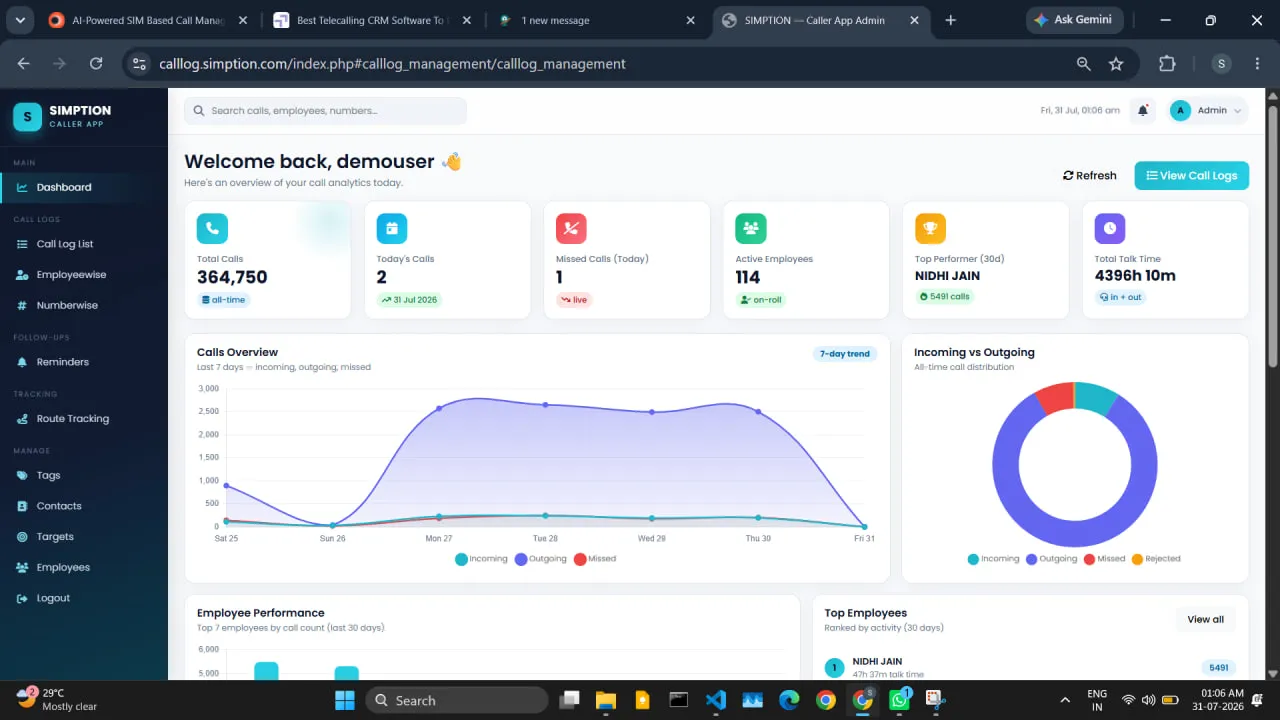
Calls your team makes in a day, against the number you can actually account for tonight.
A TEN-PERSON TEAM, TWENTY DIALS EACH
What changes on day one
The call log stops being something a rep remembers and starts being something the company owns.
If your sales happens on mobile phones, your sales data doesn’t exist.
Four sentences you have already heard this month. None of them are lies. All four are the same missing record.
“How many calls did we actually make yesterday?”
“I’ll call him next week.”
“Sir, I just came from the client’s office.”
“Ramesh resigned last month.”
Nobody in that list is lying to you. The record simply was never made. Your reps carry the only copy of the day in their heads, and it leaves the company when they do.
This is a record-keeping problem, not a people problem. Solve the record and the conversations get easier on both sides.

Three steps. One day.
There is no data migration, no number porting and no training week.
Install
You add the team in the dashboard. Each rep installs from the Play Store and signs in with an employee ID and their mobile number — no email address needed.
Calls record themselves
They dial from the normal phone dialer, exactly as they do today. The app reads the call log, queues when there’s no signal, and syncs about every 15 minutes.
You get the picture
By afternoon the dashboard has today’s calls, who connected, what was said and what is due tomorrow — without anyone writing a report.
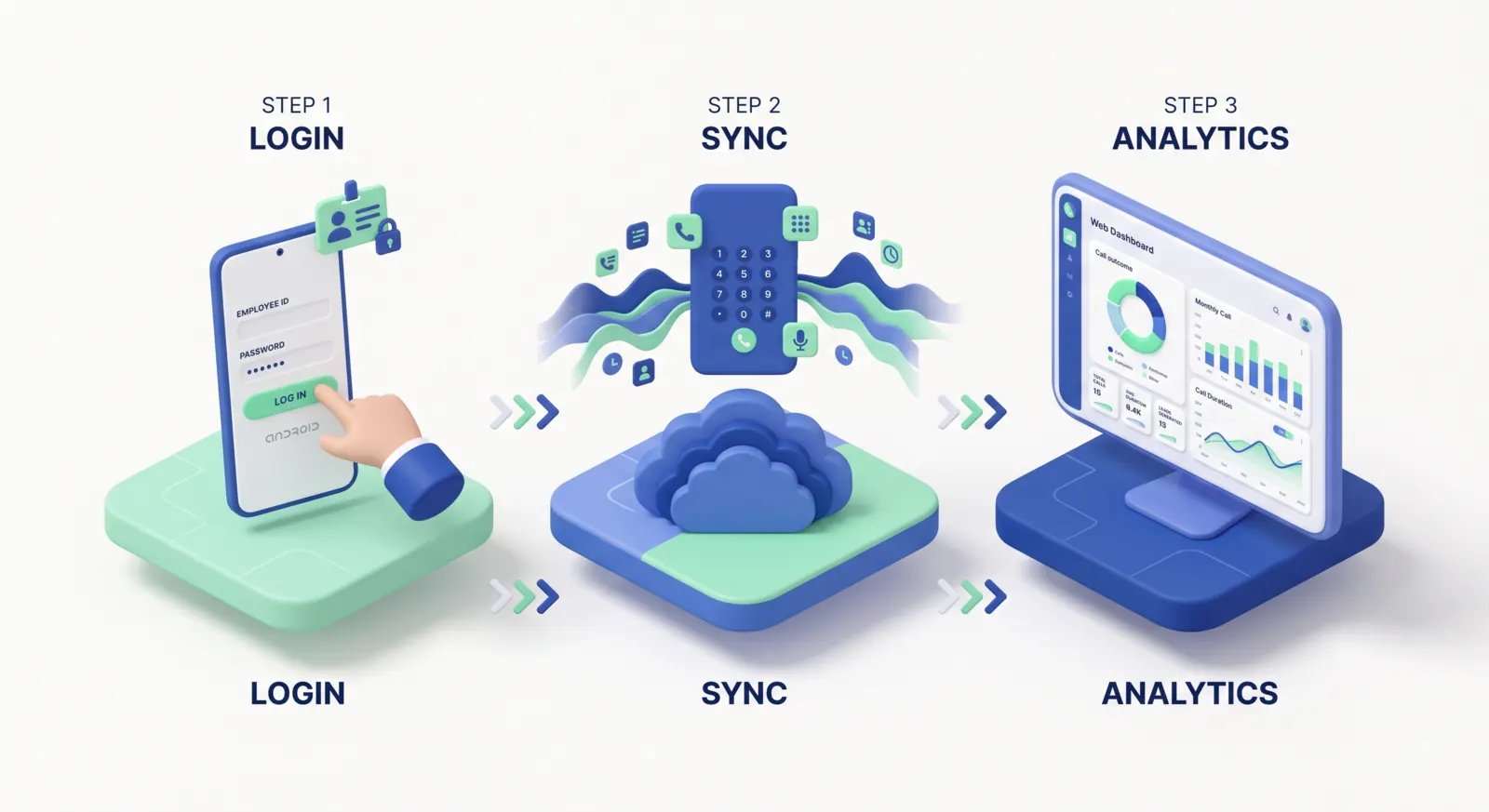
Most sales tools die in week two, when reps stop entering data. This one survives because the core data collects itself. The only thing a rep adds is what a machine cannot know — the outcome and the next step, in about four seconds.
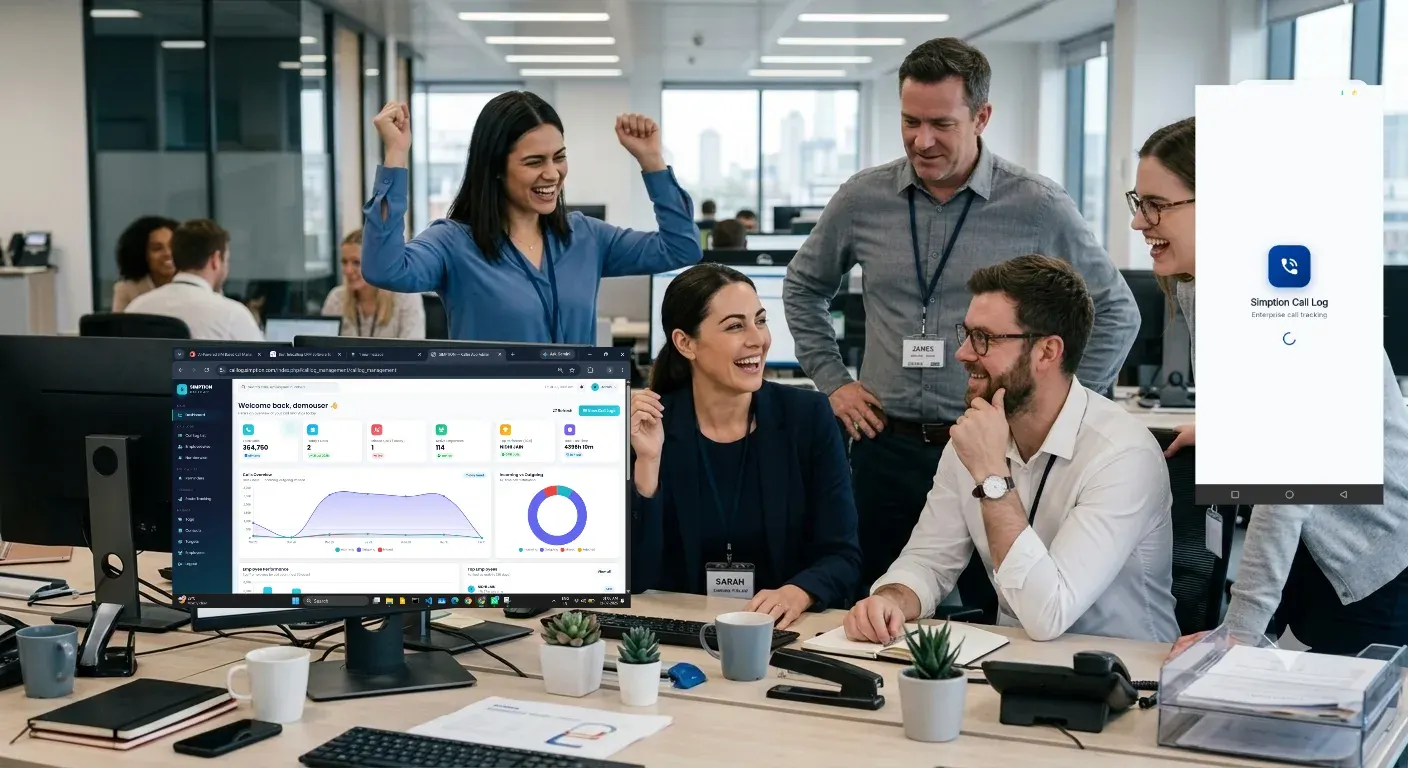
The same team, the same phones, a fortnight apart
Nothing about how anyone works changes. What changes is what is written down.

| Your day | Before | With Telecaller24 |
|---|---|---|
| Daily calling | A number someone says out loud at 7pm | A count that was already true at 4pm |
| Follow-ups | A diary, a WhatsApp note to self, or nothing | A reminder on the rep’s phone that fires twice, on two channels |
| New leads | Forwarded on WhatsApp and hopefully picked up | Assigned in bulk, with a list of who has not been contacted yet |
| Duplicate calling | Two reps pitch the same customer in a week | Look the number up before you dial and see who spoke to them last |
| Field visits | “I just came from the client’s office” | A route trail with distance, inside work hours only |
| Non-performers | An argument about effort | Connected calls, talk time and follow-ups kept — per person, same rules |
| When a rep resigns | The customer history walks out with them | The history stays; reassign the numbers to whoever takes over |
SCROLL THE TABLE SIDEWAYS ON A PHONE
Five things that are true a month later
Stop losing leads to silence
The most expensive lead is the one that was never called back — not the one that said no. Telecaller24 keeps a standing list of the enquiries nobody has contacted and the callbacks that slipped, and it is assignable. Most teams find their first month’s subscription in that list in the first week.
Stop paying twice for the same lead
Look up any number before you dial and see who in the company has already spoken to them.
Compare people fairly
Connected calls, talk time and follow-ups kept — the same measure for everyone, with no self-reporting in the middle.
Customer history becomes company property
It stays when the rep leaves, and the person who takes over starts from what was said.
Your team gets better, not just measured
Reps see their own numbers and their own scorecard, on the same weights you see.
Everything your sales day already contains — finally written down.
Automatic call capture
Incoming, outgoing, missed, rejected and not-picked-up, from the phone’s own dialer. Seven call types kept apart rather than lumped together.
One-tap outcome tagging
The after-call card appears for ten seconds: status, a note, a follow-up date. Four seconds of work, and it is a toggle if a rep does not want it.
Follow-up reminders that actually reach the phone
A local alarm and a server push, fired twice, plus a Reminder Health Check that tests this specific handset and deep-links to the setting that is blocking it. How it survives battery optimisation →
Lead lists and targets
Import a spreadsheet, map the columns, assign in bulk by name or round-robin, and watch a called-today count move against a target.
Know the lead before you dial
Company-wide number lookup with T9 name search — type 264 and find Amit.
Field visibility, work hours only
Route trail with distance, replayable day by day. Field plan.
Reports without a report
Seven ways to cut the same day, and you define what “connected” means.
A portal for every rep
Nine screens in a browser, not just an app: their calls, their leads, their reminders, their route and their scorecard — on the same weights the manager sees.
Offline first
No signal in a basement or on a highway is normal. Calls queue on the handset and sync when the network comes back; a force-sync is one tap.
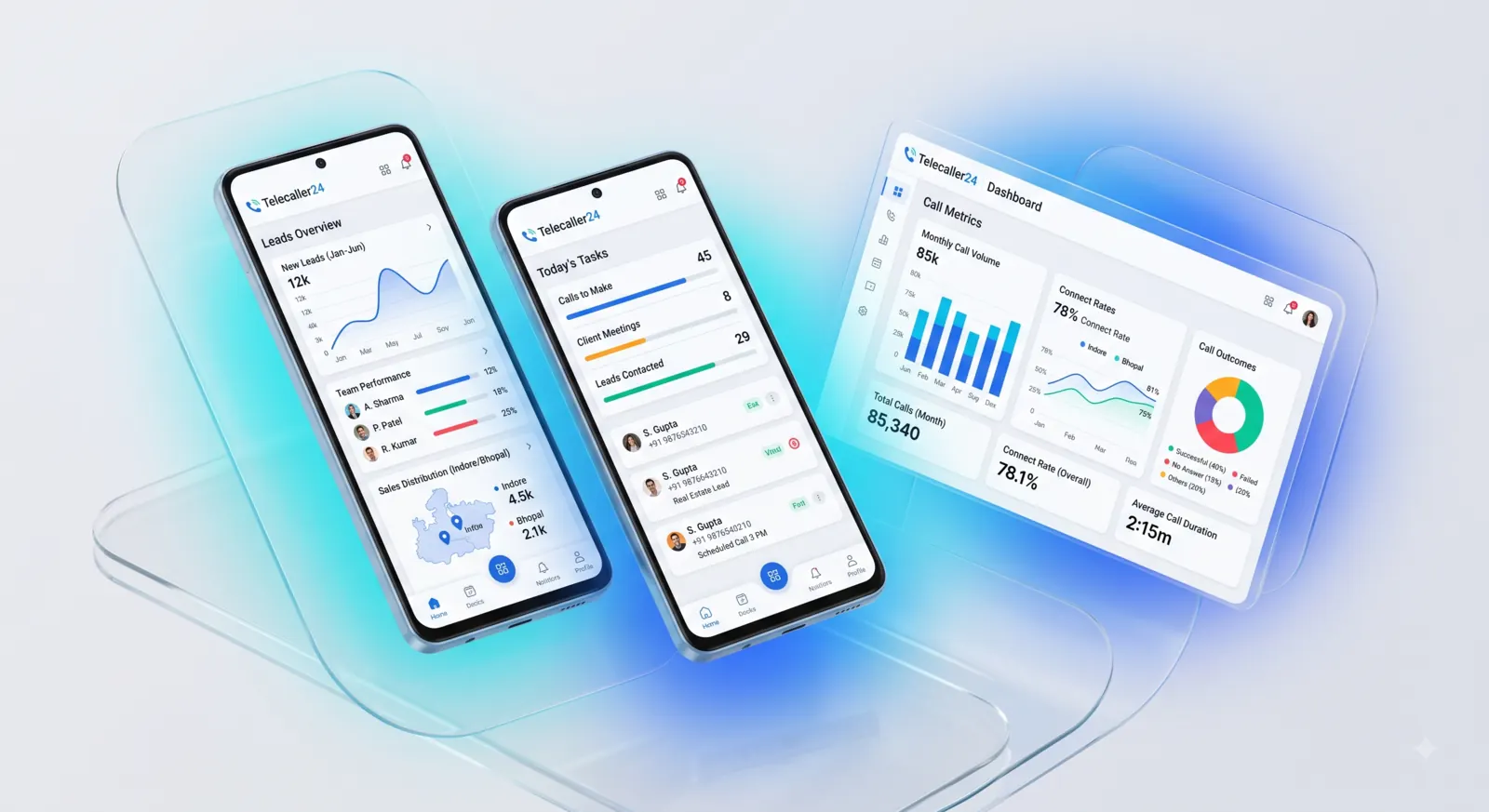
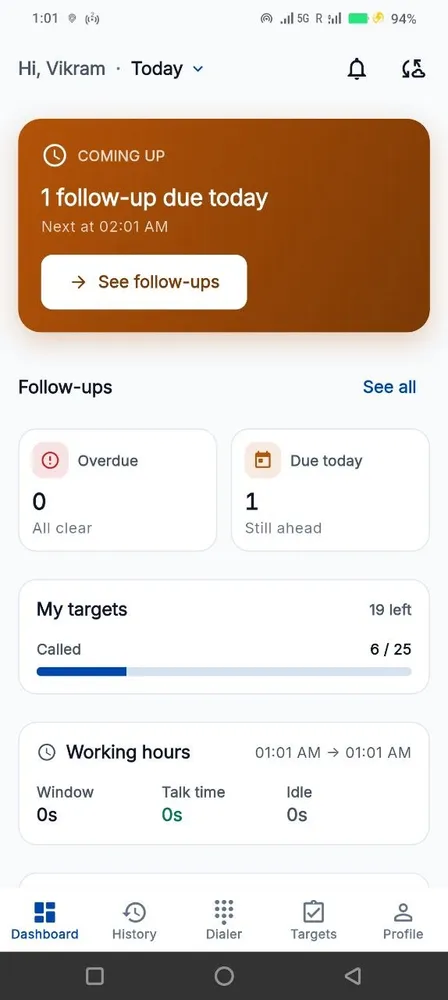
SAMPLE DATA · THE DASHBOARD, THE REP APP AND THE TARGET LIST ARE THE SAME RECORD
If your team sells on the phone, this fits
Same product, different day. Pick the one that reads like yours.
Real Estate & Property
Portal leads from 99acres, MagicBricks and Housing, bulk-assigned the morning they land. Site-visit follow-ups that survive the weekend, and a route trail that makes travel reimbursement an honest conversation.
Schools, Colleges & Coaching
An admission season is eight weeks long and every uncontacted enquiry is a fee that went elsewhere. Counsellor-wise targets, parent callbacks kept, and a leaderboard ranked on connected calls.
Insurance, Loan DSA, NBFC & Collections
Renewal reminders six weeks out, duplicate-pitch prevention across agents, and a clean activity trail per policy — without recording a customer conversation.
Automobile Dealerships & Service
Enquiry follow-ups between showroom walk-ins, service-due callbacks, and test-drive commitments that do not live in one advisor’s head.
Pharma, FMCG & Distribution
Which outlets were called, which were actually visited, and the route the team drove — inside work hours only. Outlets nobody contacted, in one list.
Recruitment & Staffing
Candidate callbacks that do not slip, client follow-ups against a target, and a record of every conversation a recruiter had this week.
Gyms, Clinics, Diagnostics & Salons
Every unanswered front-desk call in one assignable list, post-visit review reminders, and duplicate-call prevention across the desk.
Home Services, Interiors & Solar
Quote follow-ups over long decision cycles, site-visit records, and the enquiries nobody called back — visible before the customer books someone else.
What you are choosing between
Four honest options for a ten-person team. Three of them are real alternatives, and we are not pretending otherwise.
| Excel + WhatsApp | Traditional CRM | Cloud calling / IVR | Telecaller24 | |
|---|---|---|---|---|
| Setup effort | None | Two to six weeks | Numbers and IVR to provision | An afternoon |
| Data entry | All of it, by hand | All of it, by hand | Reps must dial inside the app | The call log captures itself; four seconds of tagging |
| Adoption in month two | Patchy | Usually gone | Only where the app dialer is used | Unchanged — nothing depends on a rep remembering |
| Works on the existing number | Yes | n/a | New virtual numbers | Yes — their own SIM |
| Field visibility | No | A separate GPS product | No | Route trail, work hours only |
| Cost for a 10-person team | ₹0 and the leads you lose | ₹5,990–₹10,990 a month | Rental plus per-minute charges | ₹2,490 a month on Pro, excluding GST |
COMPETITOR PRICING IS LIST PRICE FOR TEN SEATS, AUGUST 2026
Built to be fair to your team
Four promises the product keeps whether or not anyone is checking.
We don’t record calls
No audio, ever. The app reads the call log your phone already keeps — number, direction, time, duration. Nothing is listened to.
Personal calls stay personal
A rep excludes any number themselves, on their own phone. The exclusion list never leaves the handset and nobody is told which numbers are on it.
Location only during work hours
On the Field plan, the route trail runs inside the window you configure and stops outside it. Not a setting an administrator can quietly switch off.
Your data is yours
Export the whole thing to CSV any time. Cancel and we keep it 30 days, then delete it — including the backups.
Built for the phones your team already has

per number per month · minimum 5 numbers
EXCLUDING GST · 3, 6 OR 12-MONTH TERMS
Three plans. Track at ₹149, Pro at ₹249, Field at ₹449 — per number, per month. No setup fee on Track and Pro.
Six questions, answered straight
Do you record calls?
No. Telecaller24 never records audio. The app reads the call log your phone already keeps — number, direction, date, time and duration — plus whatever the rep types afterwards. There is no microphone permission in the app.
Does it work on iPhone?
No, and it will not. iOS does not let any app read the call log, so an honest iPhone version is not possible. Android 8.0 and above, on the phones your team already carries.
Do we need to buy new SIMs or new numbers?
No. Reps keep their own number and dial from the normal phone dialer. That is the whole point — a customer who calls back reaches the same person they spoke to.
What about a rep’s personal calls?
A rep excludes any number themselves, on their own handset. The exclusion list is applied on the phone and never leaves it, so nobody — including us — is told which numbers are on it. See the employee consent notice you can hand to your team.
How much data entry does a rep have to do?
About four seconds a call, and only if you switch the after-call card on. Status, an optional note, an optional follow-up date. Everything else — who, when, how long, connected or not — is already in the call log.
How long does setup take?
An afternoon for a ten-person team. Add the team in the dashboard, reps install from the Play Store and sign in with an employee ID. Data starts arriving within the first sync, roughly fifteen minutes later.
Something else? WhatsApp us — usually a reply in under an hour.
Start with 5 numbers, free for 15 days
No credit card. Android 8.0+. Set up in an afternoon.