The Telecalling CRM Your Team Will Actually Use
— because it asks for four seconds after a call, not four minutes. Every CRM works in the demo. This one is built for week three, when the novelty has worn off.
FREE FOR 5 NUMBERS · NO CREDIT CARD · ANDROID 8.0+
of a rep’s time per call, against the four minutes a traditional CRM asks for and never gets.
STATUS · NOTE · FOLLOW-UP DATE
The inversion
The call log is the source of truth and it captures itself. The rep only adds what a machine cannot know.
Your team didn’t abandon the last CRM because they were lazy
They abandoned it because it asked them to type, from memory, at the end of a day of calling — and because nothing broke when they stopped.
Week one
Everyone fills it in. The demo was convincing and somebody is watching.
Week three
Two reps stop. The data is now partly wrong, which is worse than empty.
Month two
The dashboard is quietly ignored and the team is back on WhatsApp and a spreadsheet.
A loop that closes without anyone maintaining it
Assign the list
Import a spreadsheet, map the columns, and assign in bulk — by name or round-robin. Duplicate numbers collapse on the last ten digits.
They call and tap
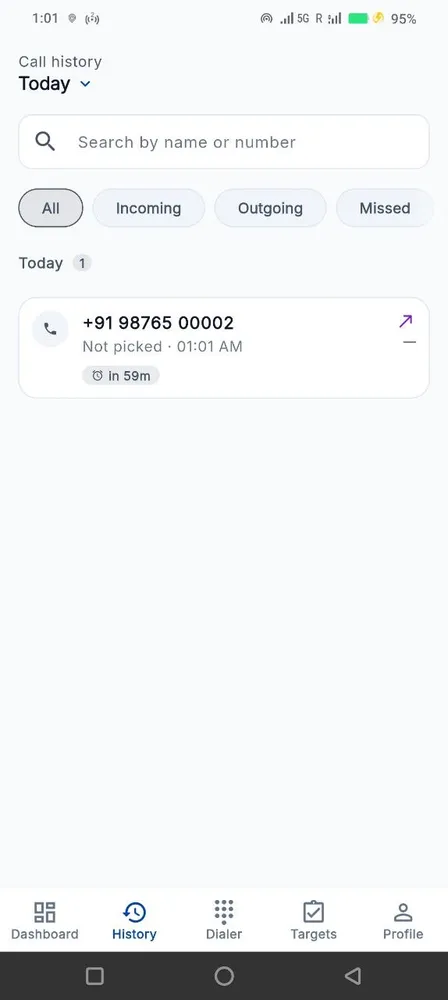
Dialled from wherever is natural. The call log captures itself; the after-call card takes the outcome.
The pipeline updates itself
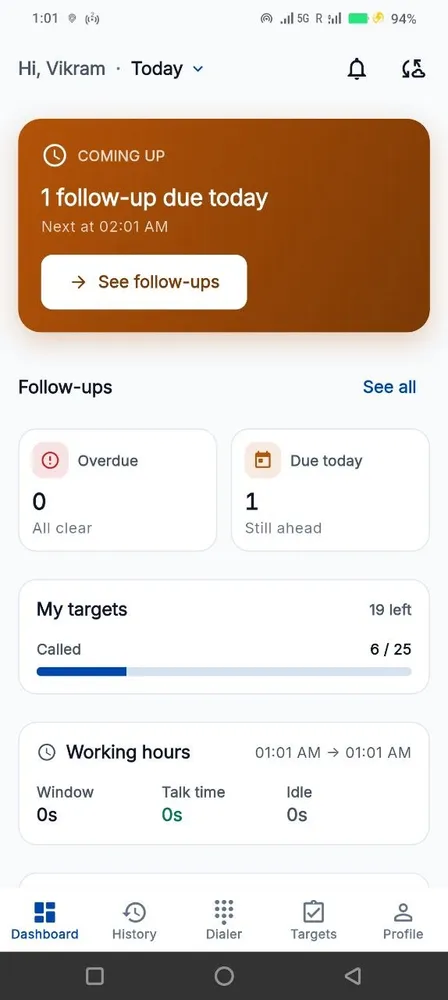
Statuses, attempt counts, follow-up dates and the leads-not-contacted list all move without a separate data-entry step.
— AND BACK TO 01 —
Three screens your reps live in
My Targets
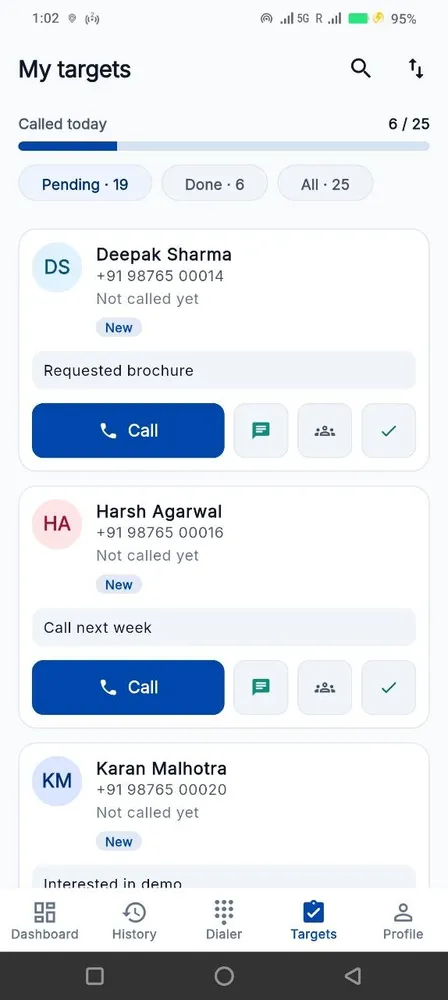
A called-today progress ring against the target, the pending and done counts, and notes sitting on the cards themselves. A rep can see whether the day is going well without asking anybody.
Company-wide number lookup, with a T9 dialer
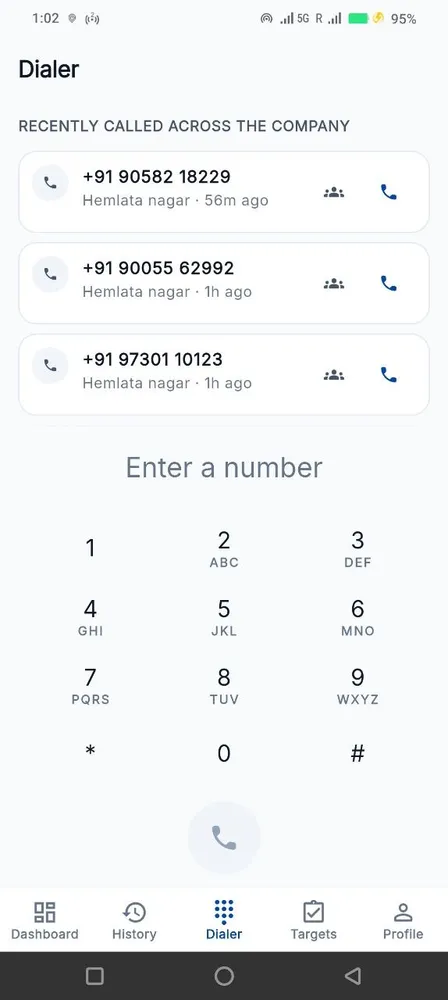
Before you dial, see whether anyone in the company has already spoken to this number, when, and what they said. T9 name search works the way a keypad does — type 264 and find Amit.
Your own statuses, and the history behind them
Define the statuses your business actually uses, add transition rules (a status can require a follow-up date before it will save), tag leads, and read the full status history as a timeline — who moved it, when, and why.
Built to be fair to your team
Four promises the product keeps whether or not anyone is checking.
We don’t record calls
No audio, ever. The app reads the call log your phone already keeps — number, direction, time, duration. Nothing is listened to.
Personal calls stay personal
A rep excludes any number themselves, on their own phone. The exclusion list never leaves the handset and nobody is told which numbers are on it.
Location only during work hours
On the Field plan, the route trail runs inside the window you configure and stops outside it. Not a setting an administrator can quietly switch off.
Your data is yours
Export the whole thing to CSV any time. Cancel and we keep it 30 days, then delete it — including the backups.
Built for the phones your team already has

per number per month · minimum 5 numbers
EXCLUDING GST · 3, 6 OR 12-MONTH TERMS
Three plans. Track at ₹149, Pro at ₹249, Field at ₹449 — per number, per month. No setup fee on Track and Pro.
Questions people actually ask
Does this replace our CRM?
No — it feeds it. Telecaller24 owns the calling layer: who was called, what happened and what is next. Push that into your CRM over the REST API, outbound webhooks, Zapier or a Google Sheet. Most teams run both.
Can we import our existing spreadsheet?
Yes. Bulk import with on-screen column mapping, duplicate protection matched on the last ten digits, and a per-source arrival log so you can see where a lead came from.
Who sees which leads?
Reps see the leads assigned to them. Managers see their team. Owners see everything, and per-page permissions can narrow any of that.
Do reps have to dial from inside the app?
No. Dial however is fastest — contact list, recent calls, a WhatsApp tap. Every call is captured either way.
How do we find the leads nobody has touched?
There is a standing Leads Not Contacted list, with attempt counts. It is assignable, so it becomes somebody’s morning rather than a report you read.
Is the after-call card annoying?
It is a toggle, set per account. It holds for ten seconds and dismisses itself. Teams that turn it off still get every call captured — they just lose the outcome tag.
Something else? WhatsApp us — usually a reply in under an hour.
Start with 5 numbers, free for 15 days
No credit card. Android 8.0+. Set up in an afternoon.